Shared shopping lists without the clutter
Make a list for each store, add what you need, jot any quantity, and check things off as you shop. Share with family or roommates in real time.


Why EZlist
Everything you need, nothing you don't
No categories to manage, no fiddly units of measure. Just lists that work.
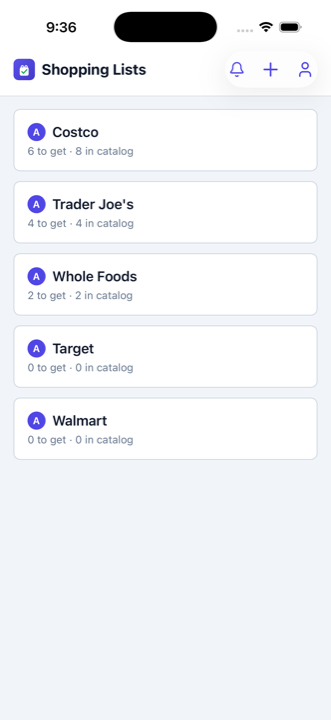
A list per store
Name it anything — Walmart, Whole Foods, Costco, the hardware store. Each store keeps its own list.
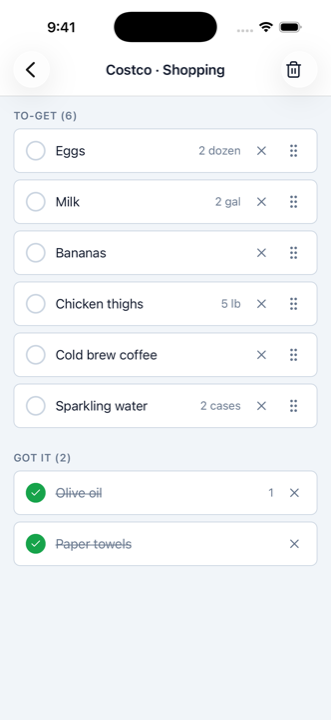
Free-form quantities
Type "2", "1 gal", "a dozen", or leave it blank. Your call — no rigid units to fight with.
One tap to add
Tap the bag on any item to drop it into your trip. EZlist remembers your usual items, so adding them again is instant.
Shopping Mode
Switch to a clean check-off view and tick items off as you grab them down the aisle.
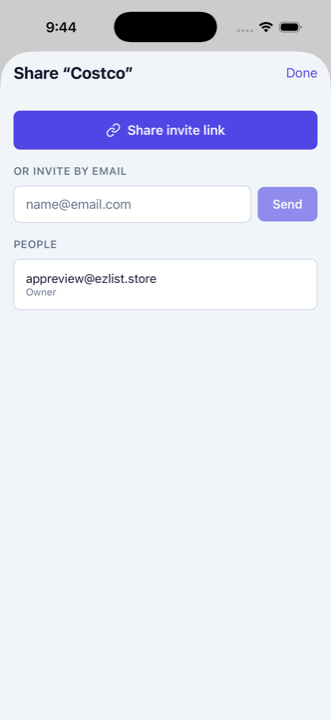
Share with anyone
Invite family or roommates by email. Everyone sees the same up-to-date list, the moment it changes.
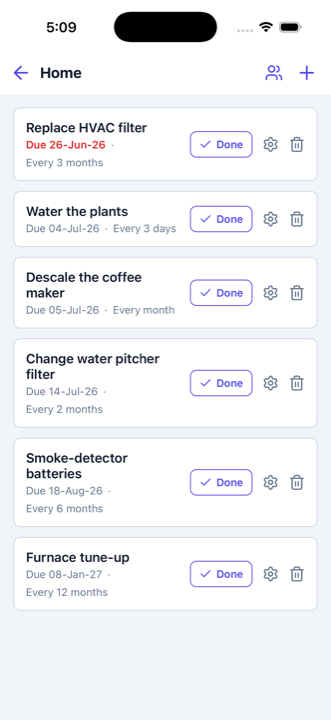
Recurring home upkeep
Beyond groceries — track recurring home tasks like filter changes and get reminded before they're due.
Take a look
Shopping lists — and household upkeep
From the weekly grocery run to recurring home maintenance, EZlist keeps it all in one place.
Manage your lists on the web
Already using EZlist? Open the full web app to create stores, add items, and share — right from your browser.
Go to app.ezlist.store →FAQ
Common questions
How do I share a shopping list with my family?
Invite anyone by email from any list. They see the same list, and every add, edit, and check-off appears in real time.
Does EZlist work offline?
Yes. You can view your list and check items off with no signal; changes sync automatically when you are back online.
Is EZlist free?
Yes, EZlist is free to use on the web, iPhone, and Android.
Do I need an account?
Yes — a free account (email, Google, or Apple) keeps your lists synced and shareable across your devices and the people you share with.
Contact
Get in touch
Questions, feedback, or a bug to report? Send us a note and we'll get back to you.
We read every message and reply to the email address you provide above.